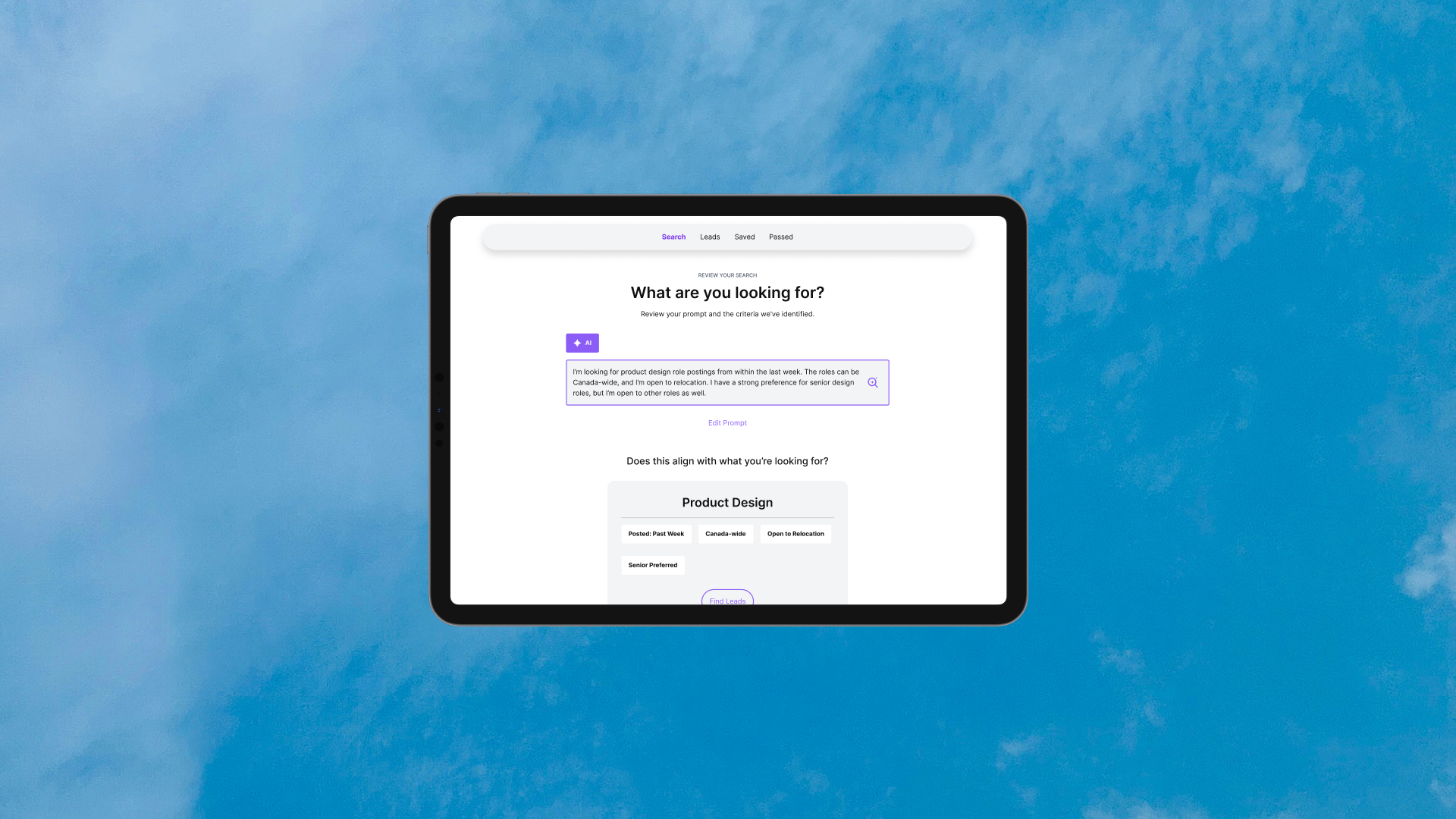
Job Discovery
Your AI companion for discovering your next role.
Product Designer
0 → 1
5 days
V1 launched 🚀
Scope
Role
Status
Timeline
I took Job Discovery from idea to launch in five days — validating the concept, designing the experience, building with Claude Code, and shipping V1.
Idea
→
POC
→
Design
→
Prototype
→
Build
→
QA
→
Launch
→
Idea → POC → Design → Prototype → Build → QA → Launch →
The Problem
The best job opportunities aren’t always easy to find.
Traditional job boards can feel like playing the lottery in a difficult market. I found better opportunities by searching LinkedIn posts and networking, where I could connect directly with recruiters and hiring managers before getting lost in a sea of applicants. But finding those leads meant running multiple searches and scrolling through pages of posts — a repetitive, time-consuming process.
The Problem
Mapping the current user journey.
I mapped my existing process to understand where time and effort were being lost. The biggest friction came from repeatedly searching, filtering irrelevant posts, and manually keeping track of promising leads.
The Opportunity
What if I could automate the tedious parts of job discovery?
I saw an opportunity to reduce the manual work of searching, filtering, and keeping track of leads — while keeping the part I valued most: deciding which opportunities were actually worth pursuing.
Proof of Concept
Before designing the solution, I needed to know if the idea could actually work.
I started with a series of small proof-of-concept experiments to test the riskiest parts of the idea before jumping into design.
-
What I tested
I built a lightweight proof of concept using Python and Playwright to see if I could search LinkedIn while logged in and surface posts from recruiters, hiring managers, and others sharing relevant product design opportunities.
What I learned
The search successfully surfaced promising hiring posts, proving that LinkedIn could be a viable source for discovery. However, my first attempt at extracting the results returned nothing because LinkedIn's markup wasn't consistent enough for the initial approach.
-
What I tested
I refined the extraction method and expanded the search criteria, including broader keywords, locations, and posts from the previous week instead of only the last 24 hours.
What I learned
The updated approach could capture a broader set of posts while maintaining relevance. With discovery and extraction working together, I now had a repeatable way to collect potential leads for evaluation.
-
What I tested
I added an AI classification step to the pipeline. Collected posts were categorized as Lead, Maybe, or Reject, then exported for manual review so I could compare the AI's decisions against my own.
What I learned
The classifications were generally aligned with my judgment. Most rejected posts could be confidently discarded, while relevant opportunities were successfully surfaced for review. This gave me confidence that AI could handle the repetitive filtering without taking the final decision away from me.
It worked. Time to design :)
Designing the Experience
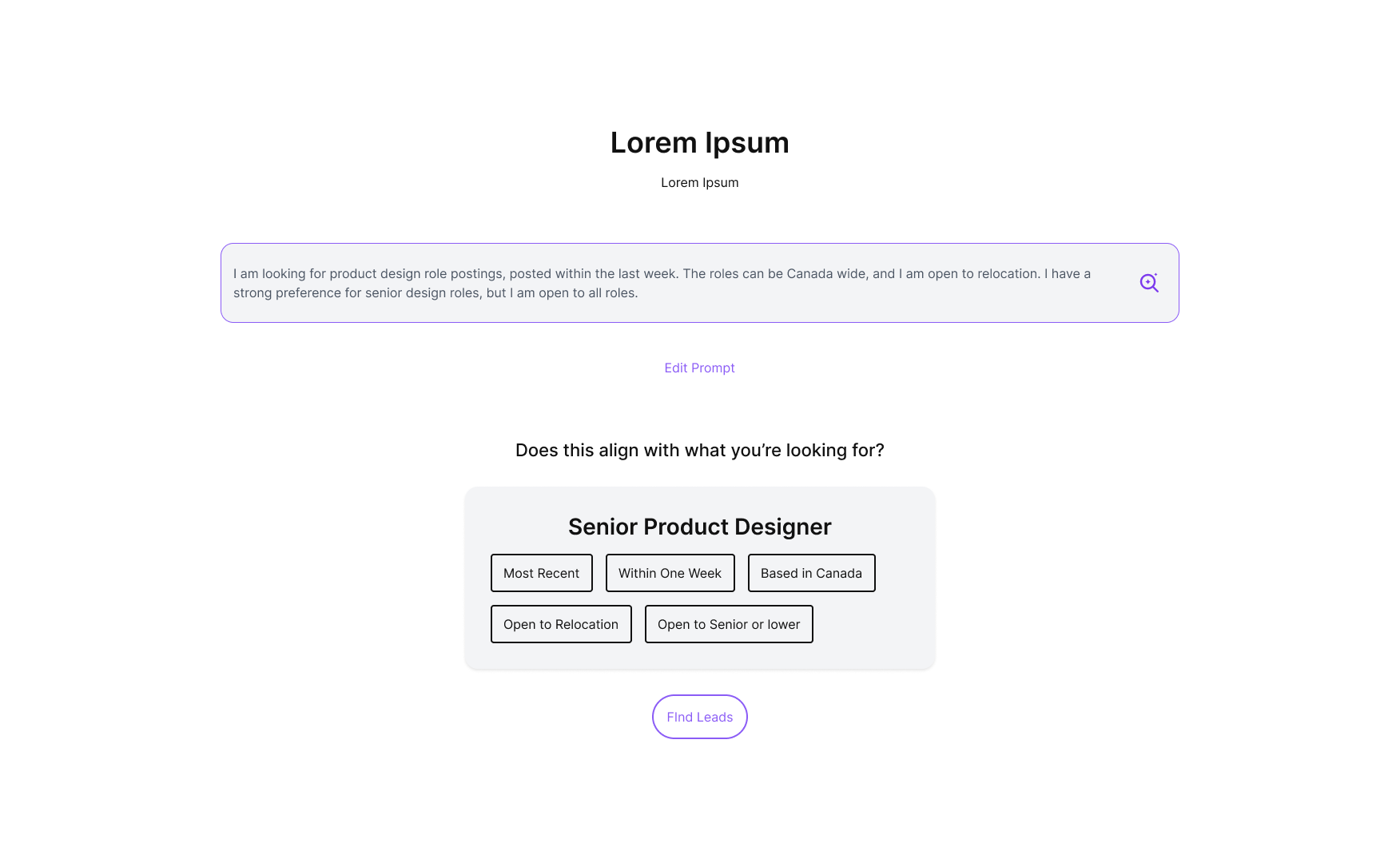
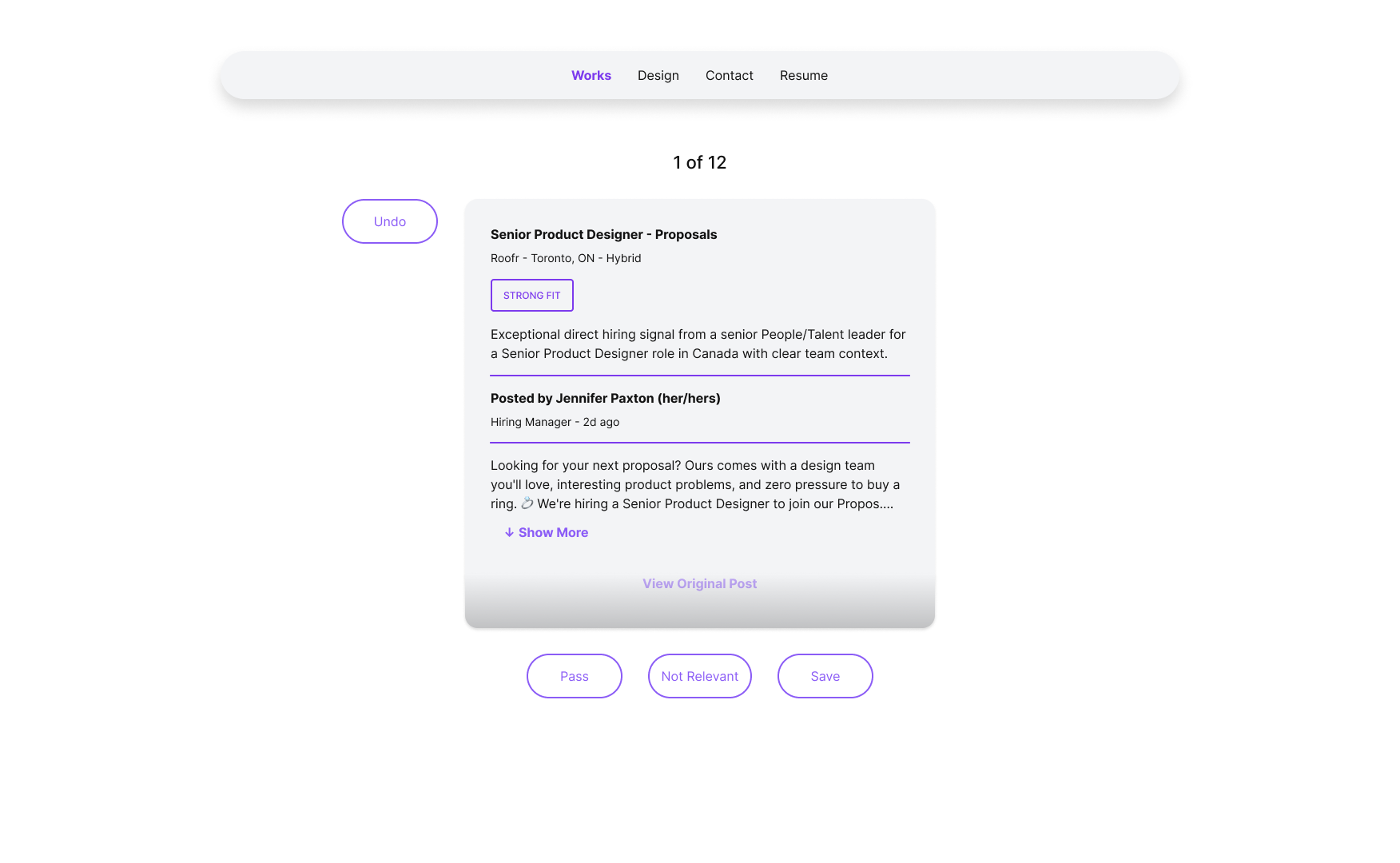
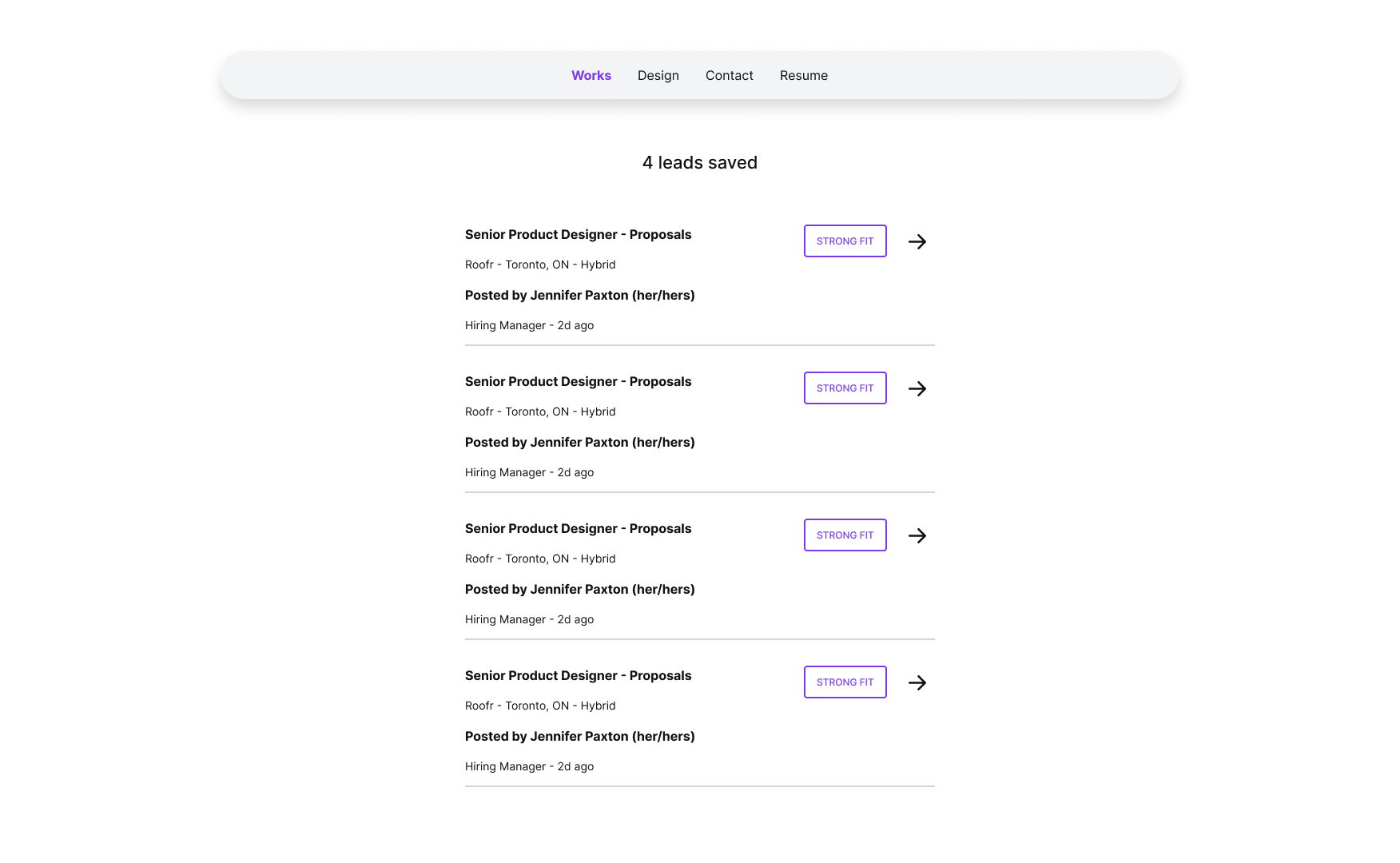
I wanted finding leads to feel less like searching and more like reviewing opportunities.
I mapped the first-time and returning experiences, then translated those journeys into low-fidelity flows before refining the visual design.
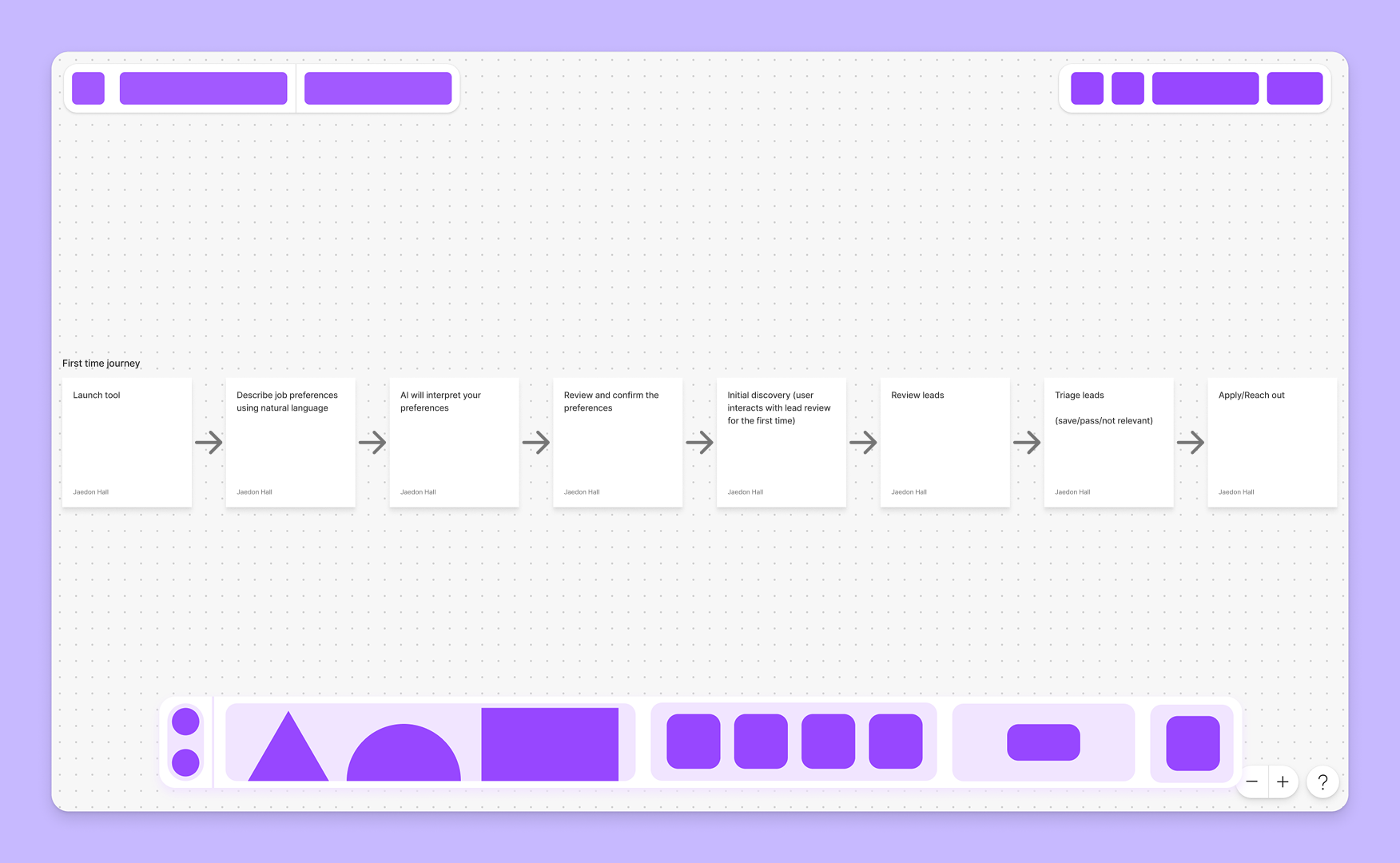
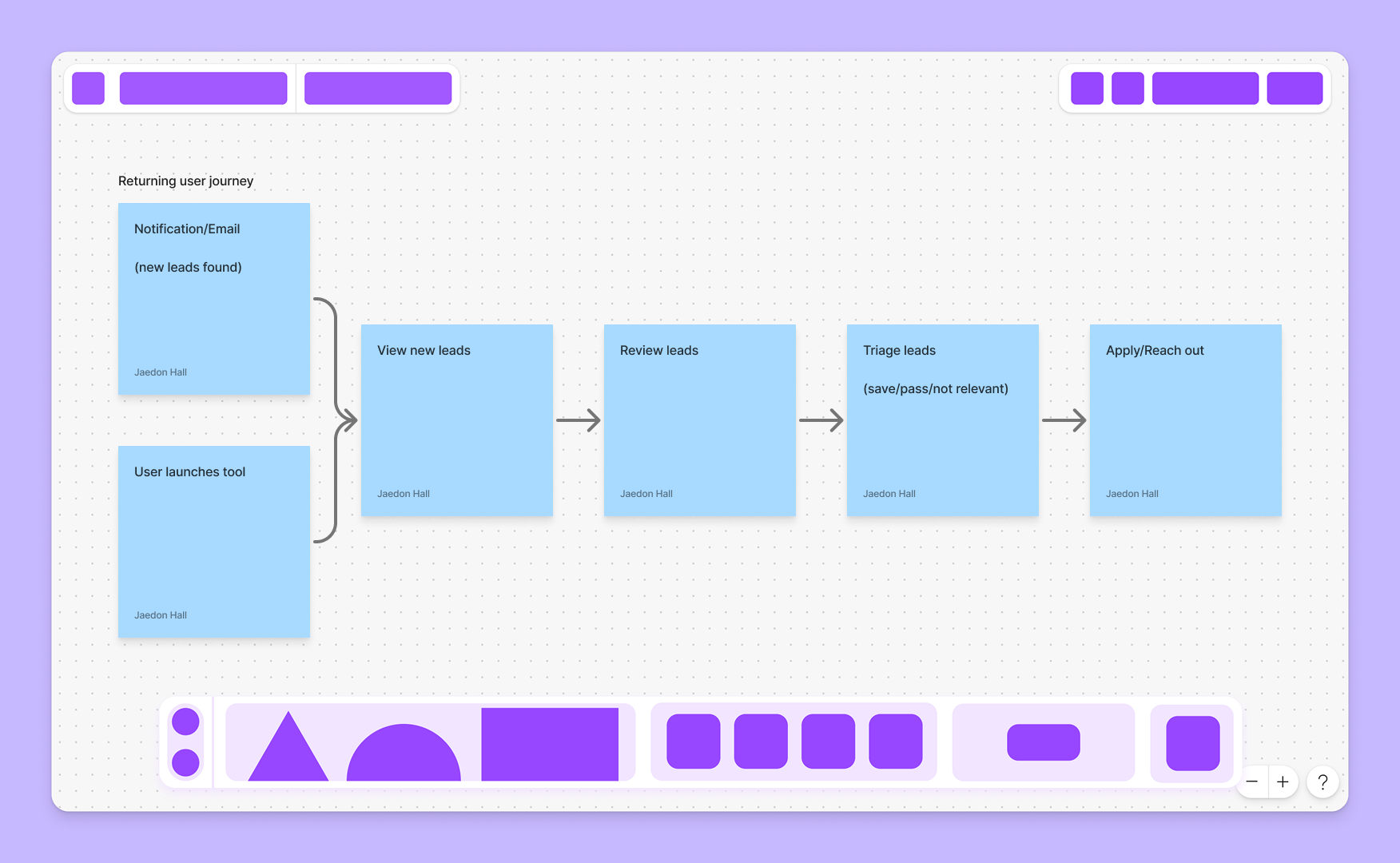
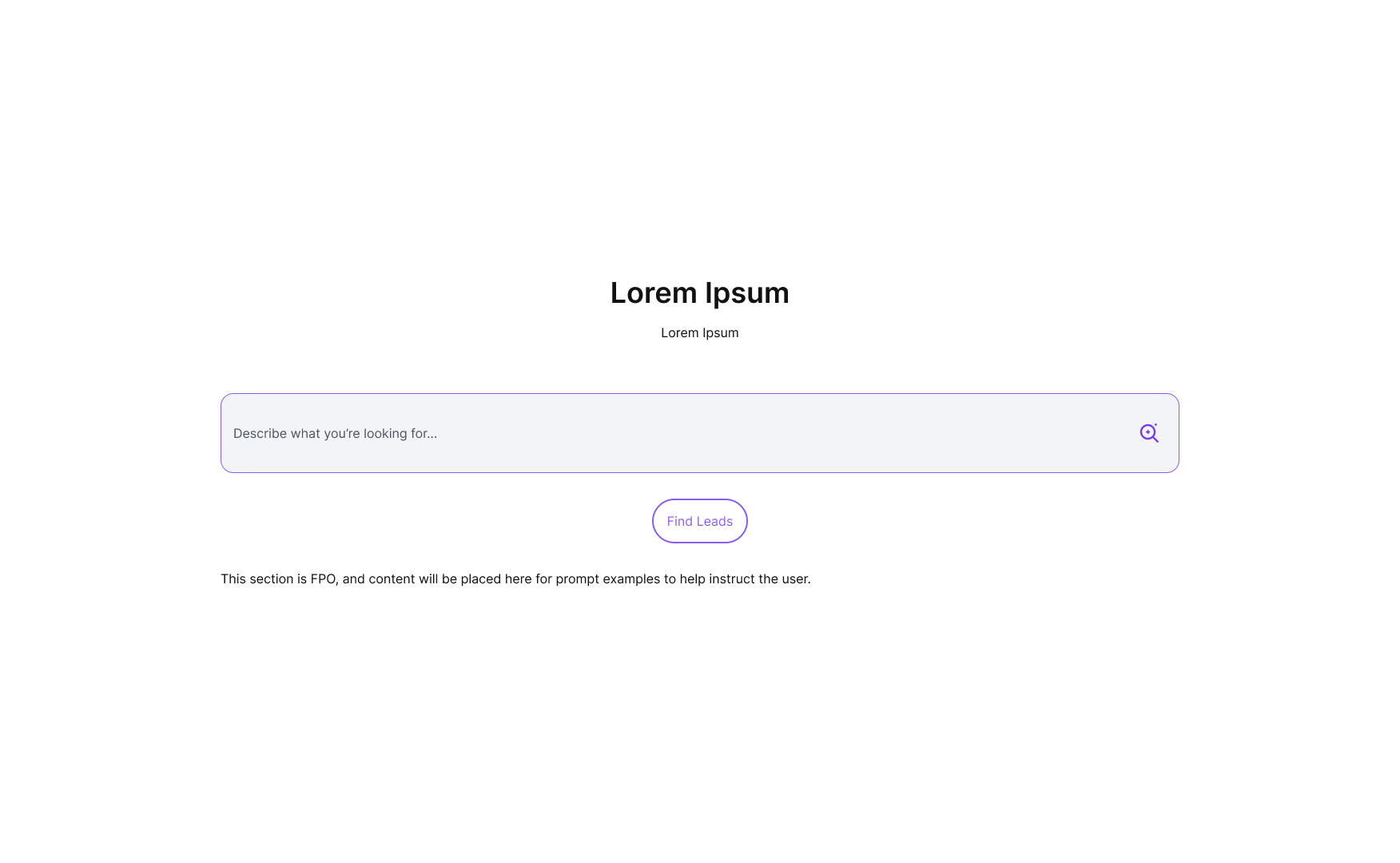
Describe
→
Confirm
→
Discover
→
Review
→
Save
→
Act
→
Describe → Confirm → Discover → Review → Save → Act →
Designing the Interface
Designing an interface that just works.
As the experience took shape, I designed the primitives and modules it needed in Figma, then worked with Claude Code to translate them into reusable code documented in a Kitchen Sink.
High Fidelity Design
Bringing the experience together
With the core interactions in place, I refined the full experience in high fidelity across desktop, tablet, and mobile.
Building the Product
Translating my pixels into a working product.
I used Claude Code to bring the designs into code, directing the implementation, reviewing the output, and iterating through design and QA.
Jaedon Hall - Product Designer
Product direction, UX/UI, research, prototyping & QA

ChatGPT - Product Partner
Planning, technical guidance, problem-solving & QA
Implementation, debugging & code iteration

Claude Code - Development Partner
Iteration, QA and Launch
From working build to launched V1.
Building the product was iterative. As I worked with Claude Code, I continuously reviewed the implementation against my designs, tested interactions in the browser, and refined the experience as issues surfaced. I also tested across desktop, tablet, and mobile on real devices to make sure the responsive experience held up beyond Figma.
Once the core experience was working as intended, I launched V1 as a functional local product and created a public static demo so anyone could experience the core flow.
Reflection
Beyond the handoff.
Job Discovery started as a solution to a problem I was experiencing myself, but it became an opportunity to push beyond my usual design process. Using AI tools alongside my existing product design skills, I was able to validate an idea, design the experience, translate it into code, test it, and ship a working V1 in five days.
The biggest takeaway wasn't learning how to become a developer. It was learning how much further I could take my own designs by understanding the technology, directing the build, and staying involved through implementation.
Explore the Product
Want to dig deeper?
Explore the working demo and the artifacts behind the process.
Other links: Figma · FigJam · Primitive KS · Module KS · Documentation · Time Log
Tools: Figma · FigJam · Claude Code · ChatGPT · OpenAI API · Python · Playwright · Flask · GitHub